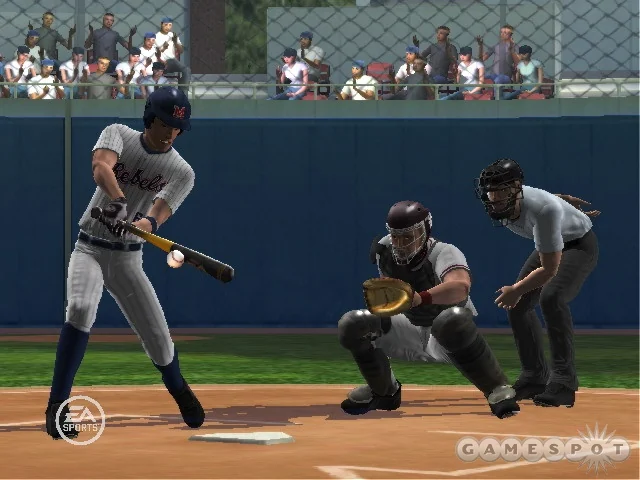
MVP 07 NCAA Baseball is EA Sports' 2007 PlayStation 2 college baseball game, built around 152 teams, analog pitching and a Dynasty mode. Its attraction today is the chance to run a college program over time, with the practical demands of playing software designed for older hardware. This guide explains the original product, its distinctive controls, recruiting decisions and the checks to make before buying a copy.
We distinguish publisher specifications from editorial suggestions and current platform documentation. Information was reviewed on September 29, 2026. The original game's features are historical; current prices, an individual disc's condition and the availability of network services require separate confirmation. Start with the kind of college experience you want, then choose a setup that can deliver it.
What EA actually released in MVP 07 NCAA Baseball
MVP 07 NCAA Baseball is EA Canada's college baseball game released for PlayStation 2 on February 6, 2007. Its cover features former Long Beach State pitcher Jered Weaver. EA's original launch announcement describes 152 playable teams from 16 conferences, placing college programs at the center of the game rather than treating college as a brief introduction to an MLB career.
| Detail | Verified original product |
|---|---|
| Title | MVP 07 NCAA Baseball |
| Release date | February 6, 2007 |
| Original platform | PlayStation 2 |
| Developer and publisher | EA Canada / EA Sports |
| Cover athlete | Jered Weaver, associated with Long Beach State |
| College field | 152 playable teams from 16 conferences |
The platform detail is especially important when buying a copy now. MVP 07 is not a native Xbox 360, PS3, PS4, PS5 or Windows release simply because a seller mentions those systems. In a contemporary interview, producer Trey Smith explained that development for this edition focused on PS2. Questions about running the software elsewhere belong to compatibility or emulation, which must be checked separately from the original release identity.
The team count is also historical. It describes the shipped game's selection, not the number of NCAA baseball programs today. Conference membership and school rosters have changed since that release. If a particular school is the reason you want the game, confirm its inclusion in the copy or documented team list you are using rather than assuming every institution appears. Our college baseball teams directory describes the real sport and should not be treated as an in-game roster list.
It helps to separate three things throughout this guide: what EA documented at release, what an individual used copy includes, and what a community modification changes. A complete boxed copy, a disc-only listing and a modified installation can all be advertised under the same familiar title while giving the buyer different practical starting points.
The discussion below is based on publisher material, a firsthand developer interview and platform documentation. It is not presented as a new hands-on review. The aim is to help you understand the game's distinctive controls and college structure, then decide whether your intended setup can support the experience you want.
Learn the controls before starting a serious season
MVP 07's most distinctive addition is Rock and Fire pitching, which puts the delivery on the right analog stick. It joins the series' analog approach to batting and throwing. That makes a short familiarization session worthwhile before committing results to a Dynasty. The following practice sequence is an editorial recommendation, not a claim that one difficulty level or technique guarantees success.
Rock and Fire pitching rewards a repeatable motion
EA's release description identifies the new pitching mechanic and two pitching minigames designed around it. Use those controlled situations to understand the delivery feedback. The first objective should be consistency: choose a target, repeat the same attempt and observe whether the result changes when your input changes. Trying every pitch immediately makes it harder to identify whether a miss came from execution or from a different pitch's behavior.
Keep the baseball decision separate from the controller movement. Selecting a sensible pitch in a sensible location does not guarantee that you will execute it well. Conversely, a well-executed pitch can still be a poor choice for the count. Once the input becomes familiar, practice moving between a strike you need and a pitch intended to tempt a chase. Watch the count rather than treating every delivery as an isolated attempt to produce a strikeout.
The game's documented Ask Kyle feature supplies situational pitching advice. Treat that as a prompt to think about the hitter and count, then make your own choice. A useful learning session ends with an explanation of why you selected a pitch, not merely whether the batter missed it. For exact button assignments, use the controls shown by your game and controller setup rather than importing commands from a later baseball title.
Build hitting and fielding habits separately
In the producer interview, Trey Smith described a closer batting camera and a more forgiving contact window on lower difficulties. That provides a sensible starting point for learning timing. Take some pitches deliberately, identify the strike zone from the chosen view, and concentrate on recognizing a hittable pitch before trying to drive everything for extra bases.
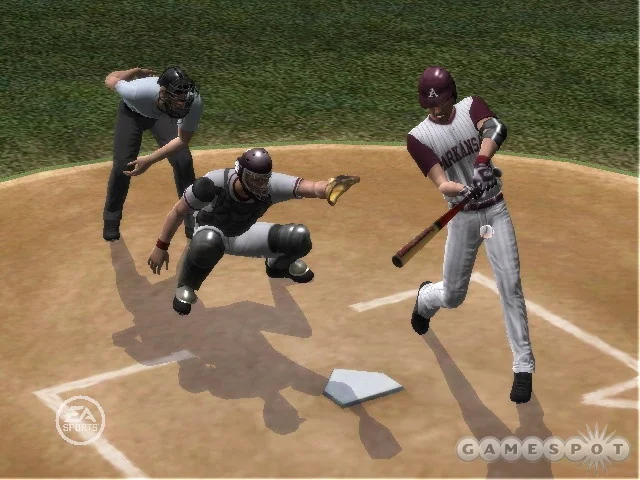
For fielding, begin with routine decisions. Know the number of outs, identify the safest useful base and make a controlled throw. A rushed attempt to get the lead runner can turn an easy out into a much larger problem. Practice the throw input separately from reading the play, then combine them once neither task consumes all your attention.
Finally, play a low-pressure exhibition before starting the season you intend to keep. Check pitching, batting, throwing and baserunning rather than judging readiness from one good inning. If repeated input problems appear, test the controller as well as your timing. A worn analog stick and unfamiliar controls can feel similar; recognizing the difference can save a long and frustrating attempt to learn around faulty hardware.
Use Dynasty and Creation Zone for a college program experience
Dynasty is the main reason to approach MVP 07 as a college program game. It asks you to think beyond the current batter and toward the roster you will have in later seasons. Recruiting creates a different rhythm from a professional career mode: the school continues while individual players arrive and leave. That structure is central to the game's appeal for fans who want to remain with one program.
The producer's Dynasty explanation identifies draft buzz as an addition in MVP 07. Some highly regarded recruits may be drafted and become unavailable to sign, creating a risk that recruiting effort will not produce a player for your roster. The useful decision is therefore not simply which recruit has the most attractive rating.
Consider a hypothetical roster that needs both a catcher and a starting pitcher. If the most exciting pitching target carries draft uncertainty, committing all available attention to him can leave two needs unresolved. A balanced approach is to identify alternatives and decide which role must be filled most reliably. This is an editorial strategy example, not a tested exploit or a claim about a hidden success formula. It follows from the uncertainty the developer described.
Before each recruiting cycle, make a short list of roles rather than only favorite names: who can start, who can cover a position when needed, and which departures will expose the thinnest part of the roster? Then compare the risk of pursuing a star with the cost of leaving a necessary role empty. A roster with impressive individual talent can still be awkward to use if it lacks practical coverage.
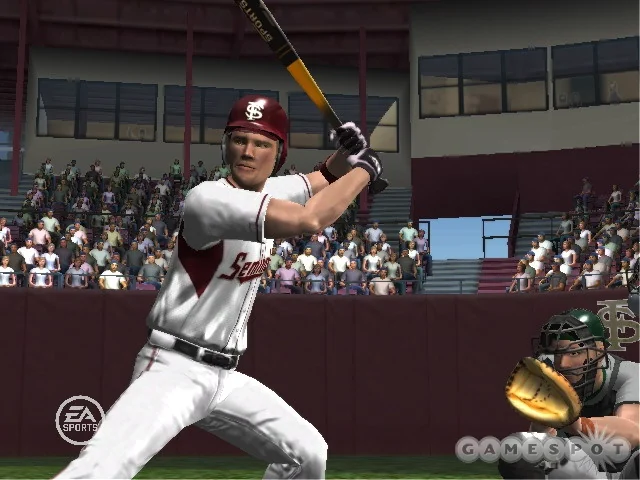
EA's launch material also confirms Creation Zone tools for custom teams, players and ballparks. These provide another reason to investigate the game when the available historical field does not match the experience you want. Decide whether you want a faithful period setup or your own fictional program before spending time on edits; the two projects call for different choices.
Keep a separate save before substantial customization and check that the resulting setup behaves as expected in a short exhibition. Do not assume that every real-world conference detail, logo or modern rule can be recreated merely because a creation feature exists. A 2007 game is a historical simulation with its own limits. Its recruiting or scholarship model should never be treated as guidance on current NCAA eligibility or roster regulations.
Set up a playable copy on the right hardware
The most straightforward starting point is the original PlayStation 2 release and equipment that can run that disc. Before paying for a used copy, compare photographs of the actual disc and packaging, establish which region is being sold, and check the seller's description of testing and returns. A listing that shows a title screen has demonstrated less than a copy tested through several innings and a successful save. Decide whether you want a playable disc or a complete collectible package; a manual and original case can matter to the second purchase without improving the first one's baseball.
Check the original PlayStation 2 setup
Prepare the console, an appropriate controller, a compatible display connection and storage before starting Dynasty. Sony's PlayStation 2 user guide explains the DUALSHOCK 2 controller and distinguishes the PS2 Memory Card (8MB) from the older PlayStation memory card, which cannot store PS2-format saves. That linked guide covers specific regional console models: consult the documentation matching your own unit when checking connections and accessories.
Use a short exhibition as an acceptance test. Confirm that the picture and sound remain stable, the controller recognizes both sticks, and the right stick returns to center when released. Work through pitching, batting and a routine fielding play. Then create a disposable season save, exit normally and load it again. This sequence tests the functions that a multi-season college game actually needs. Finding a storage problem after one trial game is much less frustrating than discovering it after building a recruiting class.
Include the whole setup in your budget. A cheap disc may still require a working memory card, a replacement controller or a suitable connection to your television. Keep the original aspect ratio when evaluating the presentation; stretching an old frame across a wide display can make the players look distorted. An attractive marketplace photograph does not establish how your own screen will display the game.
Treat emulation and modifications as separate projects
PCSX2 provides a PC emulation route, but installation, controller mapping and game compatibility need their own checks. The project's official BIOS instructions require BIOS files dumped from your own PlayStation 2; its setup guide explains how to install and launch the emulator. Those documents are a starting point, not evidence that we have tested MVP 07 on your computer or measured its performance.
Establish a working unmodified game before considering community rosters, textures or other changes. Read each project's instructions for its supported game version and preserve a clean save before importing anything. A video showing updated uniforms does not prove that every roster, conference or Dynasty feature has been updated. Likewise, a community modification does not turn the original disc into an official PS5 or Xbox release. Evaluate the base game and the modification separately so that you know which component needs troubleshooting if a season stops loading.
Decide whether MVP 07 is the right college baseball game for you
MVP 07 makes the strongest case for a player who wants to stay with a college program: choose a school, learn its team, recruit for the next season and keep the story going after individual players leave. Its appeal comes from that structure and the challenge of its controls. If those are your priorities, the preparation involved in using an older game may be worthwhile. If your main priority is immediate access on the console already beside your television, establish compatibility before becoming attached to a used listing.
Write down your three essential requirements before comparing options. For example, they might be a particular university, a team management mode and a reliable way to preserve progress. Check those requirements individually. A recognizable uniform does not establish a deep management mode, while a detailed Dynasty does not guarantee that the school you support is included. This small exercise prevents the word “college” from doing too much work in the buying decision.
Compare its program focus with modern career modes
It is no longer accurate to discuss MVP 07 as though newer baseball games contain no university gameplay. The official MLB The Show 26 manual describes 19 school choices, the College World Series and Charles Schwab Field within Road to the Show. That mode follows a prospect toward professional baseball. MVP 07's documented Dynasty and recruiting systems address a different desire: remaining responsible for a college program as its personnel change.
Consider two hypothetical players. One wants to create a shortstop, attend college and eventually reach an MLB lineup. The modern career description directly addresses that ambition. The other wants to replace a departing senior, balance the next recruiting class and lead the same university again. MVP 07's program structure is more closely aligned with that second objective, provided the player accepts its historical teams and older equipment. This is a comparison of documented mode design, not a claim that one game's batting or animation has won a new comparative playtest.
Keep expectations about services separate from expectations about baseball. EA's original announcement advertised real-time ESPN features, but a launch-era description cannot establish that those connections work today. This guide has not verified current online service availability. Make your decision around the features you can confirm on your intended setup, and request a demonstration if a seller claims that a particular network function is part of the value.
For a returning fan, a sensible first session is modest: confirm the save system, practice the pitching motion, play an exhibition and only then commit to a Dynasty. For a newcomer, decide whether managing the program interests you enough to learn an older interface. The game can tell a compelling college baseball story on its own terms, but it is not a substitute for current rosters or real tournament information. Use our college baseball schedule and scores page to follow today's sport while treating MVP 07 as a distinct historical simulation.
Join the conversation
Share a question or a thought about college baseball. Comments are reviewed before they appear. Keep it friendly and on topic.
No comments yet. Start the conversation.
Sign in with Google to leave a comment. Your email address is not displayed.