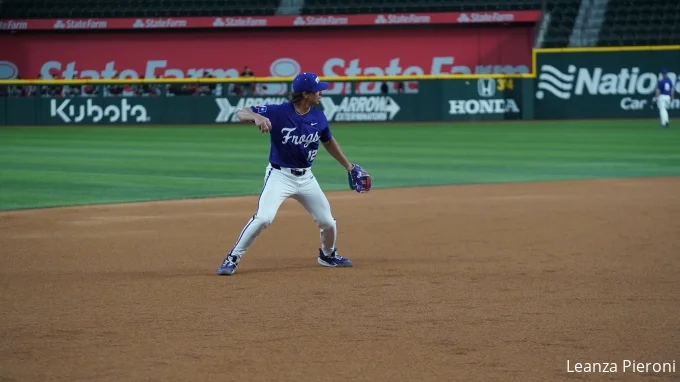
To watch college baseball on FloSports, find your exact game on the official Flo event schedule, confirm its viewing access and then choose the subscription offered for that event. College broadcasts can appear through FloCollege, FloBaseball and the FloSports app, but a team appearing at one Flo-covered tournament does not establish coverage for its entire season.
This guide explains the event lookup, account and viewing decisions that matter before first pitch. Official information was reviewed on October 1, 2026. Completed 2026 events below are examples of documented coverage; future schedules, prices and offers require the current listing.
Find the exact game before choosing a subscription
Start with a matchup and date, not just a school name. The FloBaseball event schedule provides an event search and filters including competition level and conference. A result that matches your team but belongs to last February is an archive destination, not evidence that tonight's game will stream there.
Read the individual listing for both opponents, event name and scheduled start. Compare it with the school's official baseball schedule. When a school supplies a watch link, follow that link to the broadcaster rather than searching for a similarly named tournament. This is particularly helpful when a multi-team event has several games in the same ballpark on the same day.
The official 2026 College Baseball Series viewing guide gives a concrete example: Flo documented coverage for its three-week series at Globe Life Field through FloCollege, FloBaseball and the FloSports app. That statement applies to the named event. It does not mean every subsequent home or conference game involving those schools was included.
Check the time zone as carefully as the date. Flo's event interface can display UTC, while an event article or school schedule may use Eastern or local time. Convert from the label actually shown; do not assume two different numbers mean the game moved. If the listing says TBD, treat the starting time as unresolved.
A useful pre-purchase note contains four items: the exact event URL, the matchup, the start time with its zone and the offered access route. For an archived game, replace start time with the replay you intend to watch. That small note prevents buying first and discovering afterward that you were looking at a different year.
If you cannot find the game, return to the official schedule and our college baseball TV schedule. The absence of a matching Flo listing is a reason to investigate the broadcaster, not a reason to assume every game can be unlocked by purchasing a broader-sounding package.
Understand FloSports, FloBaseball and FloCollege
FloSports is the company and the name used for its viewing app. FloBaseball is a baseball destination; FloCollege organizes collegiate coverage. The official FloCollege launch announcement describes the college platform's October 15, 2024 launch, including coverage across NCAA divisions. These names explain how content is organized, but the event's access information still determines your next step.
If you already subscribe through Flo, sign in to the existing account and open the exact event before purchasing again. A different destination name is not, by itself, a reason to create another email account or pay twice. If access is not recognized, examine the subscription shown on your account and contact official support with the event URL.
The destination name does not guarantee every game
The word college covers several competition levels, and baseball extends beyond college altogether. Confirm the school and competition rather than assuming every event on a baseball page is NCAA Division I. A summer collegiate club, a junior-college event and a university's spring schedule are different products for a fan following one program.
Coverage is also event-specific. A school can participate in a Flo-covered early-season tournament and use another broadcaster for a later game. An away game may follow the host's coverage arrangements. Build your viewing plan from the actual schedule entries instead of assigning a permanent broadcaster to a logo.
Geography is another access question. Flo's baseball landing-page FAQ notes that some events are limited to particular regions by rights agreements. If your event displays a location restriction, investigate it before paying. An account and a supported device do not override an event's territorial availability.
A YouTube highlight is different from the full broadcast
Flo links an official baseball YouTube channel, but a channel link does not establish that your game is free live video. Inspect the specific video's title, date and description. A preview, highlights package and full replay serve different purposes; none automatically promises tonight's complete broadcast.
For example, a three-minute clip can help you see a pitcher's delivery or a decisive inning without replacing three hours of game coverage. A full-game upload can be useful historical viewing, but its existence does not transfer the same access to a later event. Follow an explicit official announcement when a free game is offered.
Keep that distinction in your bookmarks. Save the paid event listing for the complete game and the official channel for whatever public content it actually supplies. If your goal is free viewing, our college baseball viewing guide helps you trace the school's official options, including alternatives when full video is unavailable.
Compare the actual subscription offer at checkout
The useful price is the one attached to the event and account you intend to use. Old tournament articles and conference launch announcements can describe offers that have changed. Follow the current official event or partner route, then read the plan name, billing interval, total charge and renewal information before submitting payment.
For a dated illustration, the Gulf South Conference's August 2026 announcement lists a Standard plan at $24.99 monthly or $119.88 annually. Those are that partner's published 2026–27 options, not a universal quote for every Flo baseball viewer. Its listed regular-season coverage should also not be expanded into a baseball rights promise.
The announcement distinguishes Student and Family options, with specific eligibility and arrangements. If a discount requires an email from a partner institution, an unrelated .edu address is not automatically sufficient. If several relatives will watch, read the particular family offer and location rules rather than assuming an ordinary account has identical privileges.
Monthly billing and an annual commitment are different purchases
An annual price expressed as a monthly equivalent remains an annual purchase when the page says it is billed annually. Compare the amount charged now with the amount charged now under the monthly option. That matters most for someone buying access to one tournament weekend rather than following several sports throughout the academic year.
Make the comparison with your actual schedule. An annual plan can make sense if your confirmed viewing extends over enough paid months; a short run of February games creates a different decision. Add planned months, not just games. Three weekends within one billing period are not automatically three monthly payments, while games on either side of a renewal date can span two periods.
Then record the cancellation route. Flo's current cancellation guidance says access continues through the current billing period after cancellation. For web purchases, it directs users through the account's Subscription and Manage options; purchases billed by a third party must be managed through that provider. Keep the confirmation showing the end date.
Cancellation stops the next renewal under the described process; it should not be read as an automatic promise to refund the time already purchased. Consult the terms of the exact offer for refund questions. Similarly, do not assume a free trial exists because an older article or another subscriber mentions one.
Keep a simple purchase record: the plan, total paid, billing provider, renewal date and games you expect to watch. It is useful later if account access appears wrong, and it gives you a concrete reminder to reconsider the subscription when your team's Flo-covered stretch ends.
Prepare your device and account before first pitch
Set up the screen you actually want to watch on before the broadcast begins. Flo offers web and app routes, including its official Android app. The baseball FAQ also lists mobile and connected-TV options. Confirm the app is available for your particular device and region; the words smart TV are not a complete compatibility specification.
Sign in with the account associated with the subscription, then open the saved event. If the page still asks you to subscribe, check the email and purchase record before changing passwords or buying another plan. Account recognition and video playback are separate stages, so identify which stage fails.
Use an available replay or other accessible video to check that the app opens, audio is audible and the picture displays correctly. That is a preparation step you can perform; it is not a claim that we tested your device. A successful archived video also cannot guarantee a particular future live production, but it can expose an installation or login problem early.
Georgia Athletics' official viewing guidance recommends Chrome for browser viewing and suggests reinstalling a problematic Flo app before seeking support. Keep the browser and app current. If you use a TV app, finish installation and authentication while there is still time to read a code or recover an account.
| What you see | First issue to investigate |
|---|---|
| Subscription prompt after signing in | Account email, purchase provider and event access |
| No app in the device store | Model, software version and regional availability |
| Location restriction message | Event's territorial availability |
| Video opens but repeatedly stalls | Connection and playback troubleshooting |
A supported browser is a useful backup when a television app is causing trouble. Test the backup on the same account rather than assuming a second subscription is necessary. For persistent problems, give FloSports support the exact event URL, device model, app or browser version, error text and time the problem occurred. That is more actionable than “baseball will not work.”
For a group viewing, check the current plan's simultaneous-use rules before arranging several screens in different homes. Family offers and ordinary account guidance can differ. Also keep score alerts away from a delayed stream if you want to preserve the next pitch's suspense; streaming video and a results page need not reach you at the same moment.
Follow a series across live coverage and replays
A weekend is easier to follow when you save each game's destination, not just the tournament article. Flo's 2026 College Baseball Series collection separates event and video navigation and includes completed games with replay links. Use that structure to keep the right game attached to the right date.
Treat every game in a weekend as a separate listing
A multi-team tournament is not necessarily a three-game series between the same opponents. Your school may face a different program each day. Identify the day's matchup before pressing play, especially when several games use the same stadium picture and sponsor name.
For a doubleheader, confirm how the broadcaster labels each game or session. Do not assume a watch button for the first game proves the second is in the same feed. Likewise, revisit the school's announcement when weather changes the order or a scheduled start becomes uncertain. A saved calendar entry helps planning, but the current official update controls the actual game.
From a baseball perspective, keep a few notes between games. Who carried the middle innings? Which relievers were used in tight situations? Was the offense repeatedly creating runners or relying on one swing? Watching across a weekend becomes more rewarding when the next game continues a question from the previous one.
That is particularly useful in an early-season event. A coach may be learning about rotation roles and relief options, so a strong opening performance is evidence to follow rather than a complete national verdict. Our rankings page provides broader context; the actual innings explain what is changing.
Check the replay before planning a delayed viewing
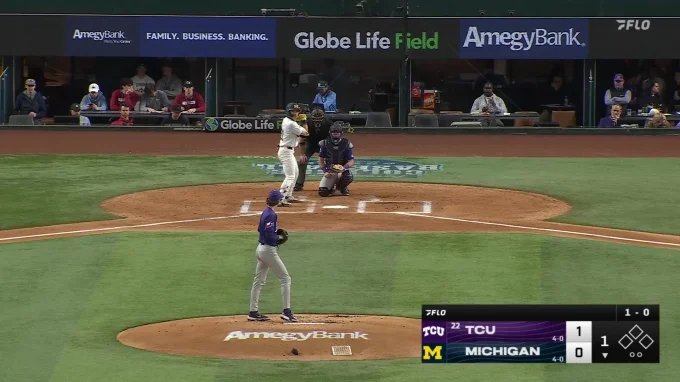
Look for the correct opponent, year and full-length replay. Flo's TCU video library illustrates why this matters: interviews and brief highlights appear beside long game replays. It also dates the TCU–Michigan replay to 2025, even though a thumbnail for that matchup is embedded in the 2026 series how-to page. An article's year does not automatically date every video inside it.
A visible replay entry is useful evidence of an archive item, but inspect your account's access before relying on it. Do not assume every video can be downloaded, every replay appears immediately after the final out or every archive remains available indefinitely. Those are separate service questions that the specific listing and current support guidance must answer.
When planning to watch later, choose how much outside information you want. Official school reports and our scores page can spoil the result. If you want the full live-like progression, keep those closed until the replay ends; if you want analysis, use the final box score to locate the innings worth studying.
A full replay is especially helpful for evaluating how a pitcher escaped trouble or how an offense adjusted over several plate appearances. Highlights emphasize decisive moments. Use each format for the question it can answer, and do not mistake a dramatic short clip for the complete story of the game.
Decide whether Flo fits the games you actually follow
Evaluate Flo against a list of games you intend to watch. A large platform-wide event count has limited meaning if your favorite school's desired games are elsewhere. Conversely, a few important series can be worthwhile when they are the games you care about and the access works on your preferred screen.
A historical school schedule makes the point concrete. LSU's official 2025 schedule labels its February 26 Dallas Baptist game at Globe Life Field with FloSports, its following Frisco tournament games with paid D1Baseball streaming, and its March 4 game with SEC Network+. One team's short stretch required checking several viewing destinations. That is an example from 2025, not a forecast of future rights.
Make a two-column list: confirmed Flo games and games requiring another official route. Include replays only if you will realistically use them. Then compare your selected billing plan with the months that contain the confirmed games. If you follow other sports on Flo, add those to the decision deliberately rather than using them as a vague justification for an unused annual purchase.
For a fan interested mainly in an opening tournament, the event lookup and renewal date may be the most consequential details. For a fan following a partner program throughout spring, account consistency, replay availability and device reliability deserve more weight. Those are different viewing habits, so there is no universal best purchase.
If the game you want is not available as suitable video, examine the school's official audio and live-statistics links. They can preserve the inning-by-inning experience without pretending to be a broadcast picture. Our where-to-watch guide and today's schedule help connect your immediate game search with the right official destination.
Before first pitch, finish with three concrete items: the correct event open on your account, a screen prepared for playback and a clear understanding of what you paid for. After the covered stretch ends, revisit whether the next games justify renewal. That keeps the subscription attached to the baseball you actually follow.
Join the conversation
Share a question or a thought about college baseball. Comments are reviewed before they appear. Keep it friendly and on topic.
No comments yet. Start the conversation.
Sign in with Google to leave a comment. Your email address is not displayed.